
 Freephone: 0800 002 5555

 LOG IN


Secondhand BlindShell Classic 2 Black - with VAT relief
£325.00
£429.00


Secondhand BlindShell Classic 2 Black Videos
By BlindShell
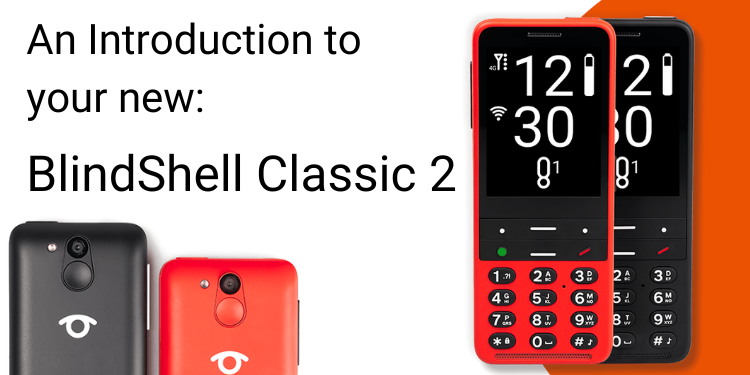
The BlindShell Classic 2 is a fully accessible mobile phone. It can be voice-controlled and has a comfortable tactile keypad too. It is compatible with WhatsApp and Facebook messenger and you can even watch or listen to music on the YouTube app!
The BlindShell Classic 2 is full of fun and useful functions yet still simple to use!
- Voice Control
- Fully Vocalised
- BlindShell Screen reader
- BlindShell app catalogue
- Web Browser
- 13 MP camera
- Optional BlindShell Classic 2 flip case
- Additional NFC tags are available separately
- Optional BlindShell Beeps are available separately
- One year warranty.
- Photos shown are of the actual product.
- Secondhand stock may show minor signs of prior use, please see images for condition.
Friendly and expert remote phone or video training session is included.
The new generation of the BlindShell Classic provides users with a voice-controlled phone with a comfortable tactile keypad. It has brand new hardware, a new louder speaker, larger keys, longer battery life and a 13MP camera.
With WhatsApp and Facebook messenger you can stay in contact with family and friends easier than before! The phone boasts a range of assistive tools and the new BlindShell app catalogue enables you to download additional apps if required.
General Features
Voice control
You can control the phone with simple voice commands.
Loudspeaker
A new and improved loudspeaker means it's easy to hear your phone.
Tactile keypad
An easy-to-use keypad with large tactile buttons.
Long-life battery
Up to 96 hours of battery life.
Lifetime free updates
Free software updates are provided.
Charging Cradle and USB-C cable included
To make charging the BlindShell Classic 2 as easy as possible, it includes a handy, sit-in, weighted charging dock. To make the dock even more secure, a 3M sticky pad is also included to allow you to permanently affix the charging cradle to a known location and prevent any chance of it being knocked while inserting or removing the phone.
You can also use the included standard USB-C charging cable (which plugs in either-way-round) to charge the phone.
Day & Night mode
You can choose to set up a day sound profile and a night sound profile and set the time of day the profiles come into effect, the phone will automatically update and switch between the profiles. This means you can set your phone to have quiet or silent notifications during your sleeping hours and louder notifications during your waking hours, you can also manually override the settings should you need to for one cycle.
LED Notification
BlindShell Classic 2 has a LED missed notification light for low-vision users, to notify things such as missed calls new texts ect. this will flash a different colour depending on the notification.
Mute mode
Turn off the voice completely while keeping all other sounds.
Making & Receiving Calls, Text Messages & Emails
Voice control & dictation
You can easily control the BlindShell Classic 2 with your voice by simply asking it to make a call or send a text. Text messages and emails can be dictated with ease rather than typed.
Voice feedback
With the BlindShell Classic 2 you can choose 3 ways to type:
- Full feedback - feedback for letters and punctuation while typing
- No feedback for letters - feedback for punctuation only whilst typing
- No feedback at all - no feedback while typing
Send and receive e-mails! BlindShell E-mail Client supports mailboxes supporting IMAP protocol.
**Please note Pop3 email addresses are not supported**
Searching The Internet
Web browser
You can check the news, search for new information, browse websites and use services that are accessible for the visually impaired.
The Camera
13 MP camera
With the new 13MP camera you can capture every moment and save precious memories with a voice tag.
Video camera
The video camera application can record video using the phone's camera. Recorded videos can be shared by E-mail or third-party applications.
Video player
The video player allows you to play videos. All standard formats like MP4, AVI, MKV, WMV are supported. Video files can be recorded by the camera app, downloaded from the Web Browser, sent by E-mail or a third party application like Whatsapp. Users can choose if they prefer landscape or portrait orientation of the video on the screen.
Reading
Book reader
Use the Book Reader for reading audio and textbooks.
BlindShell screen reader
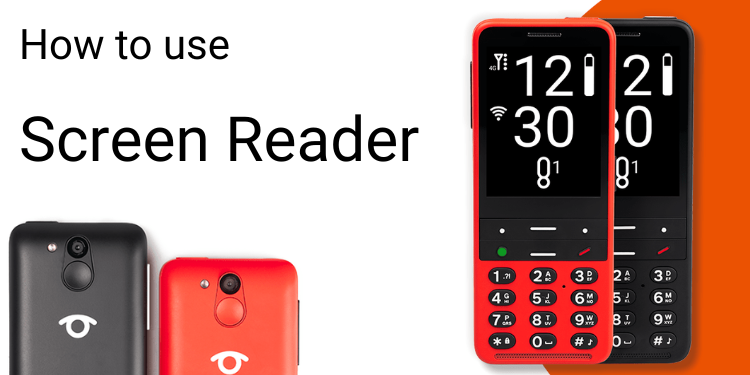
BlindShell screen reader turns text and image content into speech, a fantastic tool for browsing the Internet as well as using your apps.
Document reader
This application reads documents in PDF, Microsoft Word, PowerPoint presentations, Rich Text format and TXT file formats. Users can read documents sequentially or navigate through the text in a way similar to the BlindShell Web browser. Searching is also supported. The app will be integrated with the rest of the environment hence it will be possible to open a document from a website by using the Web Browser, view E-mail attachments or files sent by third-party applications such as WhatsApp, Messenger etc. It can also read documents manually copied to the internal storage or SD card from a computer.
Entertainment
YouTube
You can listen to music or watch videos on YouTube.
Podcast player
This app can play podcasts listed in iTunes and other sources. Both online (streaming) and offline playback is supported.
FM and internet radio
Listen to the radio! There are thousands of internet stations and local FM broadcasts to choose from.
Games
You can play Hangman, a Memory game or Dice roller.
New games with Dec 2021 update:
Wumpus game- A simple maze game with adventure elements that require memory, imagination and a bit of logical thinking.
Simon game - An adaptation of a classical 80s electronic game that will challenge your hearing and memory.
Organisation
Alarm, calendar and timer functions.
Toolbox & Added Extras
Assistive tools
BlindShell assistive tools can help you with daily tasks such as identifying colours or magnifying
Step counter
Step Counter is an application for tracking daily activity (steps, distance, moving time and calories). It is possible to view the history and statistics of a user's daily activity. Once enabled, the step counter counts the steps automatically all day, in the background.
NFC object tagging
Toothpaste or face cream? With the help of NFC object tagging application, you will be able to distinguish between them in a few
seconds.
BlindShell Beep
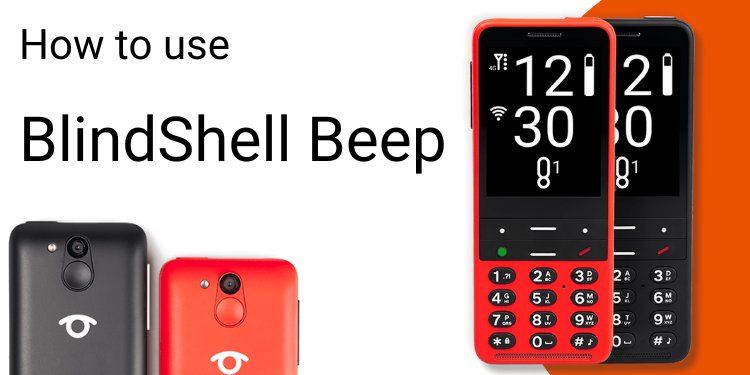
Attach the BlindShell Beep to objects that you want to keep track of and locate when misplaced. To find the missing object simply ring the beep using your BlindShell Classic 2 phone.
Apps
Send messages and make voice calls using WhatsApp.
Facebook Messenger
Stay in touch with your friends, wherever you are, via Facebook messenger.
Metronome
A basic metronome app for musicians. Can also be useful for other purposes when pace keeping is essential.
Guitar tuner
An essential app for people who play the guitar, bass, violin or other string instruments.
BlindShell app catalogue
The BlindShell app catalogue has a selection of additional apps for your phone.
Favourite apps
A single button press is all that's needed to access your favourite apps.
In-Built Help & Support
Getting started guide
A step by step guide on how to set up and use your BlindShell Classic 2 phone.
User manual
Easily access the user manual on your phone whenever you need it.
GPS Location
Use your phone to provide your location via GPS.
SOS button
Dedicated SOS button with an assigned contact to call in an emergency situation.
What's Included?
- BlindShell Classic 2
- Battery*
- User manual
- USB plug
- USB cable
- Charging cradle
- NFC tags
- 2x Lanyard
- Earphones
The BlindShell Classic 2 requires a Micro-SIM, from your preferred network operator.
*Please note that we pre-install the battery into the BlindShell Classic 2 before shipping to you.
Be the first to review this product.
Leave a review
Connectivity
- WCDMA (3G): B1/B2/B4/B5/B8
- FDD-LTE (4G):
- B1/B2/B3/B4/B5/B7/B8/B12/B13/B17/B20/B25/B26/B28/B66/B71
- TDD-LTE (4G): B38/B40/B41
- VoLTE
- Bluetooth: 4.2
- WiFi: 2.4 GHz + 5 GHz (802.11 a/b/g/n/ac)
- GNSS: GPS, Galileo, BeiDou
- FM radio receiver
- NFC
Hardware
- Dimensions: 135.2 x 54.6 x 16.7 mm
- Weight: 100 g (phone), 49 g (battery)
- Display: 2.83" (480 x 640)
- Memory (RAM): 2 GB
- Internal storage: 16 GB
- External storage: micro SD memory card up to 128 GB (FAT32)
- Camera: 13 MP
- SIM Card: Dual micro-SIM
- Battery: 3000 mAh
- Loudspeaker: 1.5 W
- Microphone: Dual microphone, noise reduction
- 3.5 stereo audio jack
- USB Type-C
- Buttons: SOS, Volume, Side action button
- Indication LED
- Camera LED flashlight
- LED flashlight
Sensors
- Magnetometer
- Barometer
- Accelerometer
- Gyroscope
- Proximity sensor
Certifications
CE, FCC, IC, ICASA, ACMA, RoHS, HAC, UN38.3, MSDS, IEC 62133
HAC: M3/T3
**Please note Pop3 email addresses are not supported**
| BlindShell App Catalog | |
| BlindShell applications | Third-party applications |
BlindShell Vision Aids Book Reader Internet Browser Calendar Card Wallet Chess Covid Pass (EU) Currency Converter Dice Roller Document Reader dzb lesen E-mail Client Éole File Manager Hangman KDD Librivox Light Sensor Mau-Mau FM Radio Camera and Image viewer Music Player BlindShell Podcast Player Internet Radio Video Camera and Video Player Youtube Player Metronome Memory game Czech and Slovak Public Transport QR Object Tagging Simon Game SKN Step Counter BlindShell Telegram Client Check Lists BlindShell Productivity Tools Translator Guitar tuner Weather Forecast Wumpus Game | SBB Mobile Load Shedding Notifier Amazon Alexa Amazon Shopping Audible BBC Sounds Be My Eyes twavox Facebook Messenger Google Lookout ARx Shazam - song recognition Skype Lite Voxiweb BARD Mobile Israeli central library for the blind Aira Explorer Localisateur VA Connect |
How to import and back up contacts in your BlindShell Classic 2.
Importing contacts
The Import contacts from file menu item will import of contacts from the file to the phone's contacts list.
- To import contacts, copy .vcf file to the root folder of the SD memory card, if present, or to the root folder of the internal phone's internal storage. The file has to be named Contacts.vcf.
- If Contacts.vcf is present in both storages, the file located on the SD memory card will be used.
- Contacts in the Contacts.vcf file identical to contacts already stored in the contacts list will be skipped during import.
- After the contact import finishes the Contacts.vcf file is renamed to Contacts-imported.vcf.
Backing up contacts
The Backup contacts to file menu item runs a backup of contacts to Contacts.vcf file.
- If the SD memory card is present in the phone, the Contacts.vcf file is created in the root folder of the SD memory card.
- If no SD memory card is present in the phone, the Contacts.vcf file is created in the root folder of the phone's internal storage.
Due to changes in Google policy there will be a new login procedure for Gmail accounts on the BlindShell Classic 2. This takes effect as of the 1st June. Please visit our blog to find out more.
Please follow the links below to view tutorials on YouTube for the BlindShell Classic 2: